


We are pleased to announce that the Chicago History Museum has migrated ARCHIE, the Abakanowicz Research Center’s (ARC) online catalog for searching the Museum’s research collections, to a new system. The new ARCHIE has a similar interface to other online catalogs you may already be using and will enhance research services for the public and CHM staff. ARCHIE helps users explore and access the Museum’s collection of printed material, archives and manuscripts, prints and photographs, architectural drawings, and assorted ephemera.
ARCHIE’s homepage now looks like this:
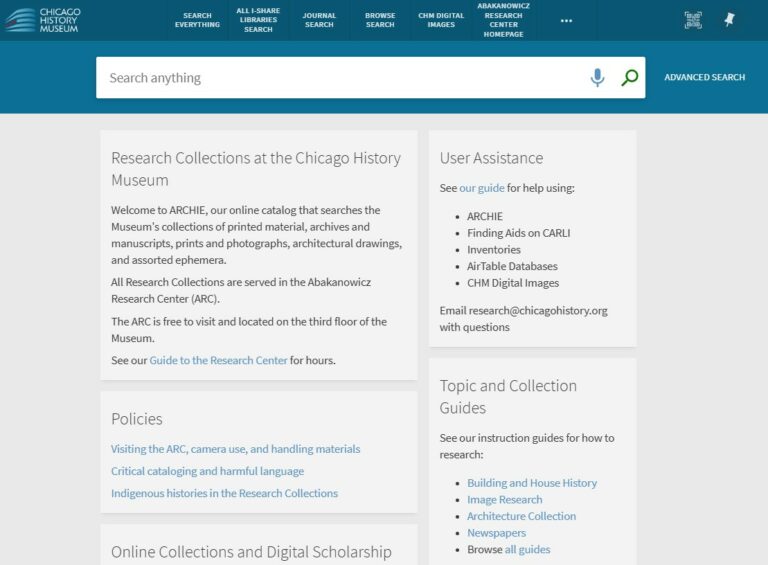
The catalog works through a management system and user interface called Alma/Primo VE. However, the Museum will still refer to the catalog as ARCHIE, named in memory of Archibald Motley III (1935–2002), a long-time archivist and activist at the Chicago History Museum who left an enduring mark on how our institution collects and shares Chicago’s stories.
Our Cataloging and Metadata Librarian and our Technical Services Librarian have spent the past seven months preparing our data for migration, tidying up records, training on the new management system, and configuring the user interface. We are proud to share the catalog and look forward to continued improvements as we meet the needs of our users.
CARLI
As part of this transition, CHM has joined the Consortium of Academic and Research Libraries of Illinois (CARLI), a statewide network of more than 120 academic and research libraries. The Museum’s participation in a consortia system has many benefits for the public, including access to e-resources, including more than 2,600 database subscriptions. This gives users immediate, open access to articles, journals, and scholarly publications. CHM provides access to archival finding aids and images of the Museum’s 3D object collection via CARLI Digital Collections, a shared repository of digital content via CONTENTdm. Now, migrating to Alma/Primo VE through CARLI is the next step in keeping all our services within the same consortial system to improve collection discovery for our users.
Below you will find a brief step-by-step outline of basic and advanced searching, and where to find the information you need to request research collection materials when visiting the Abakanowicz Research Center.
Homepage and Search Anything
Our ARCHIE homepage still has links to all our guides and resources. Users can easily navigate to our range of topical and collection LibGuides, clearly find our policies, and link to our digital collections.
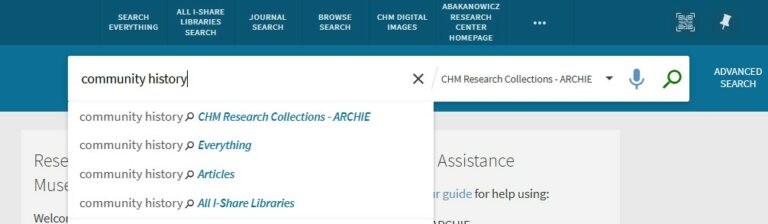
Through CARLI, we have new resources available to users, including e-resources and the ability to search the library collections of other CARLI members. From the homepage, when you enter your term into the “Search Anything” box, the default will search the Museum’s research collection catalog. However, the drop down that appears allows you to select other options, including:
- “CHM Research Collections” – Materials held by the institution that are served on-site in the Abakanowicz Research Center
- “Everything” – Research Collection material and access to thousands of journals, books, government documents, and other publications
- “Articles” – Limits the search to those open access articles provided by CARLI, a great resource for immediately accessible publications
- “All I-Share Libraries” – Searches resources, databases, and articles available through other CARLI institutions
Simple Search/Search Anything looks like this:
Advanced Search
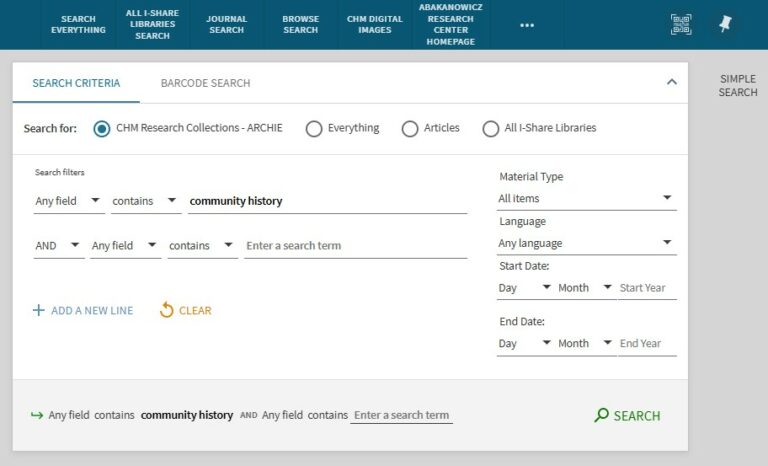
The Advanced Search option is available to the right of the search box. It allows you to set parameters before searching, such as specific terms or selecting a material type. These filters will appear at the top left of the brief results page, while still allowing for additional filters later.
Advanced Search looks like this:
Brief Results
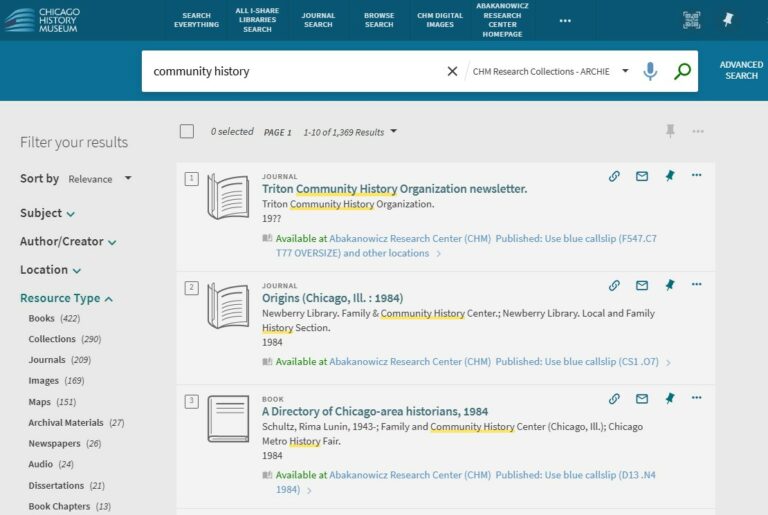
Whether you use the Simple Search or Advanced Search, the brief results page has a lot of information for users and options to choose from. The results list includes the title of the resource, creator or author, the type of resource, and the call number. The search term is underlined in yellow where it appears in the results page and when you select a catalog record to view. On the left of the results page, under “Filter your results,” you can select multiple filters to narrow your results by resource type, date, or by individual or group associated with the material.
Brief Results page looks like this:
Collection Discovery
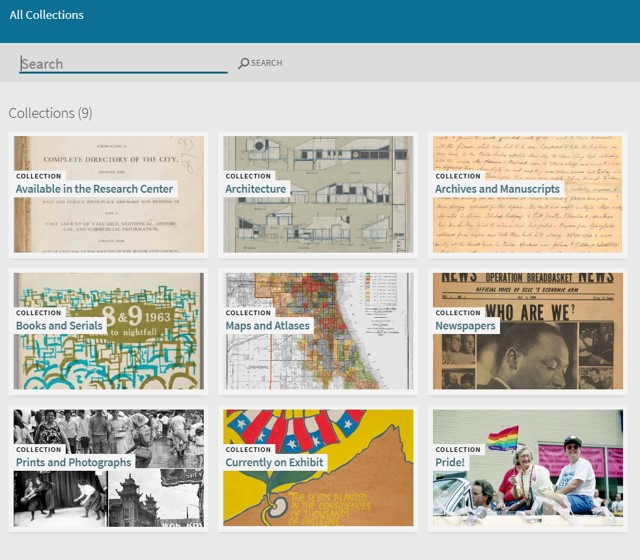
Another way to filter your search by type of material is to use the Collection Discovery feature, one of the links at the top of the home page. Here you can search within specific collections such as Archives and Manuscripts, Newspapers, Maps, and more. There are also rotating topical collections to explore here, such as LGBTQIA+ history for Pride month.
Here we also feature collections that have items currently on display in the Museum’s galleries. Visitors to the Museum are encouraged to explore a collection further if something piques their interest in an exhibition. Please note, you can search or browse within the featured collections, but advanced search is not possible within Collection Discovery.
Collection Discovery looks like this:
Catalog Record Display
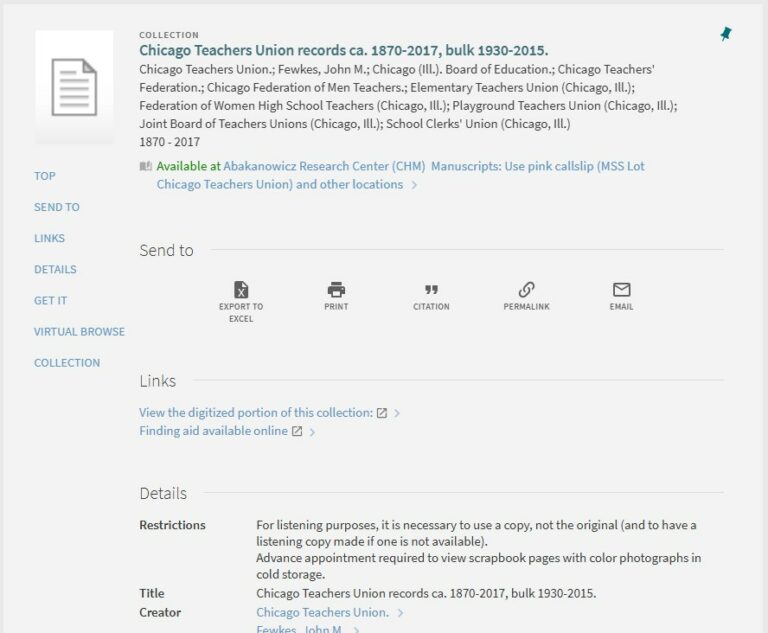
Just like the previous interface, you will find detailed information about an item by clicking on the title to view the individual catalog record. The main information is listed at the top of the record, including title, creators, dates, and basic call information. Additionally, links to digitized content and finding aids are also found toward the top. Any restrictions, such as an advanced request for photographs from cold storage or the use of listening copies of audio material, are noted under Details.
Record Display looks like this:
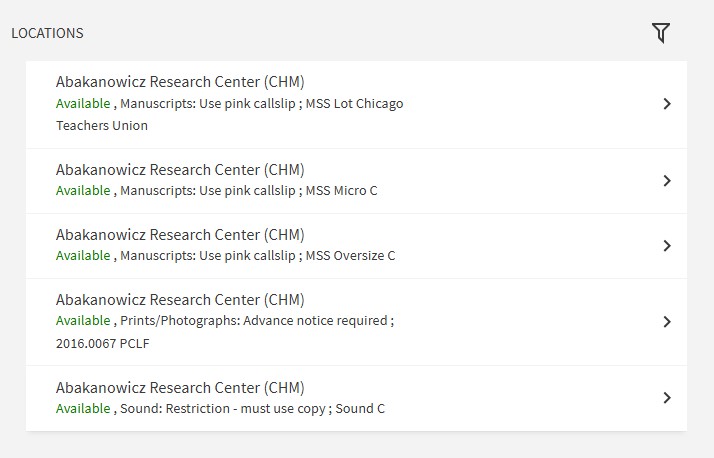
Further down, under Locations, you will find information about the call number and what color call slip to use when requesting items in the Abakanowicz Research Center. Expanding the holdings locations will allow you to see the items, which can be particularly useful for archival collections. This will show you which boxes are associated with which call number, the location, and any terms of use, such as when an item requires an advance request.
Locations look like this:
We are thrilled to launch the new ARCHIE, and we hope you are too! We look forward to continuing to support our patrons through this new catalog system and believe it will streamline ARC operations, creating an even better experience for discovering and accessing our collections.
You can always find ARCHIE at www.chicagohistory.org/archie.